A BUSINESS RUNNING ON MEMORY
When I first sat down with the owner, I didn't ask what features she wanted. I asked her to walk me through a normal week. What I heard was a business held together by memory. Nothing was written down, so things kept slipping through the cracks. It wasn't one problem. It was five, and they all fed each other.
HOW I THOUGHT ABOUT IT
Before designing anything, I wanted to find the real problem underneath the five. This is how I got there.
Start With the Week, Not the Features
I ran two sessions with the owner and her team and mapped every notebook, spreadsheet and workaround they used. Asking about a real week showed me where time was lost, which a feature list never would.
Find the One Root Problem
Content, leads, invoices and tasks looked like four separate problems. They weren't. The root problem was the same every time: nothing had a home. If an idea or a lead had nowhere to go the moment it appeared, it was forgotten. So the goal became simple. Give everything a home, in one place.
One Platform, Not Five Apps
My first thought was separate tools: a content planner, a CRM, a task app. But jumping between tools was part of the problem. A small team won't keep five apps up to date. So I chose to design one business operations platform where content, sales, money and the team's work all live together and connect.
ONE BUSINESS OPERATIONS PLATFORM FOR THE WHOLE STUDIO
What we built for REGO keramika is a business operations platform. One calm place that runs the content, the customers, the money and the team. It works on a laptop at the end of the day and on a phone between customers. Five parts, all connected.
MY DESIGN SYSTEM FIRST, THEN WHAT AI BUILT FROM IT
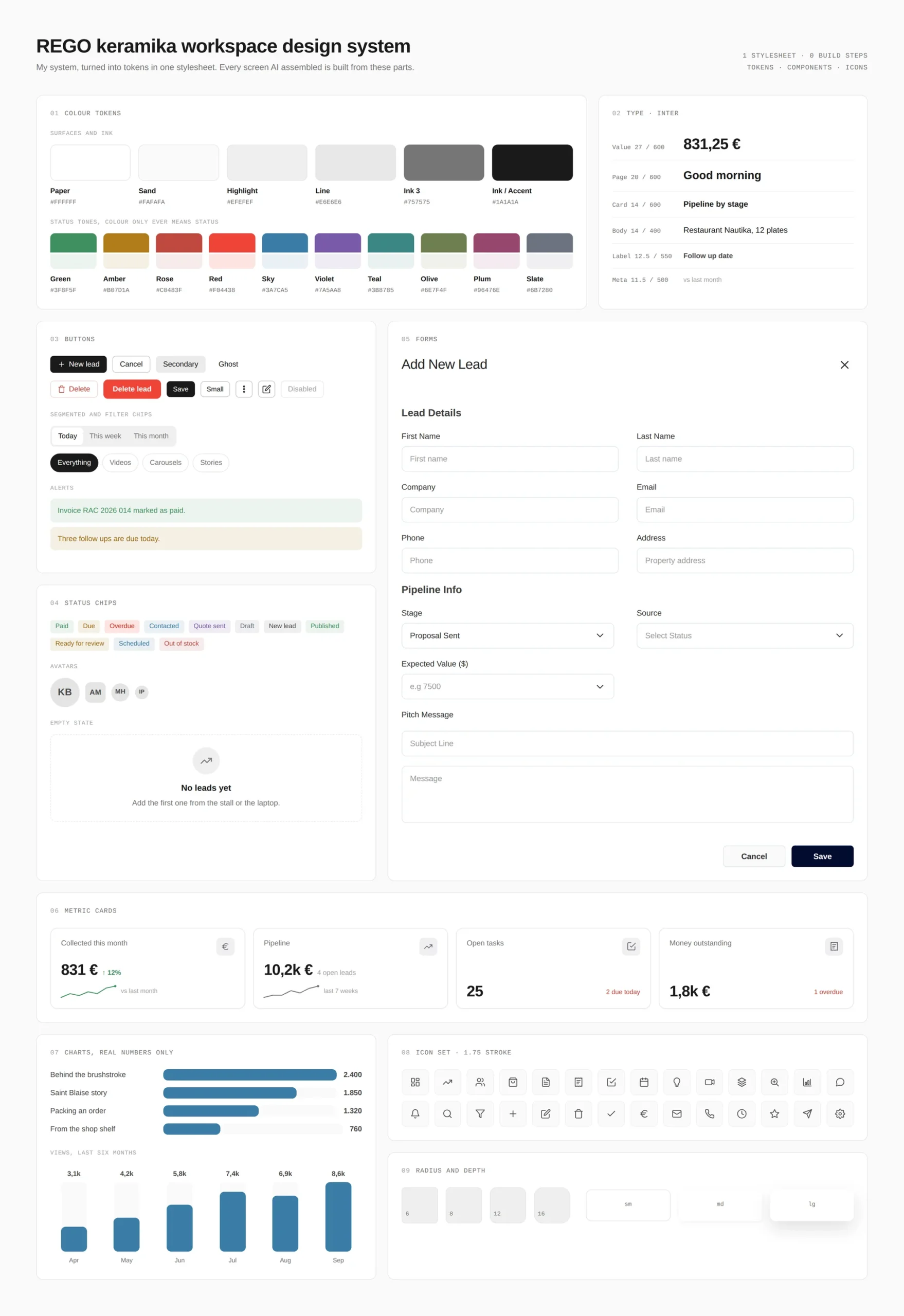
I didn't design a single screen in Figma for this project. I imported the design system I have built and refined over the years: buttons, cards, chips, forms, states and icons. That system became the rulebook. AI built the screens from it, and my job was to make sure it never broke the rules.
Step 1, My Design System
A robust system I already own and trust. Every component and every state was ready before the project started, so I could spend my time on the studio's problems instead of drawing buttons.
Step 2, Tokens Before Screens
I turned the system into tokens in code: colour, type, radius and spacing. Neutral greys and black for the interface, and colour only when it means something, like Paid, Due or Overdue. No value is ever typed twice in the app.
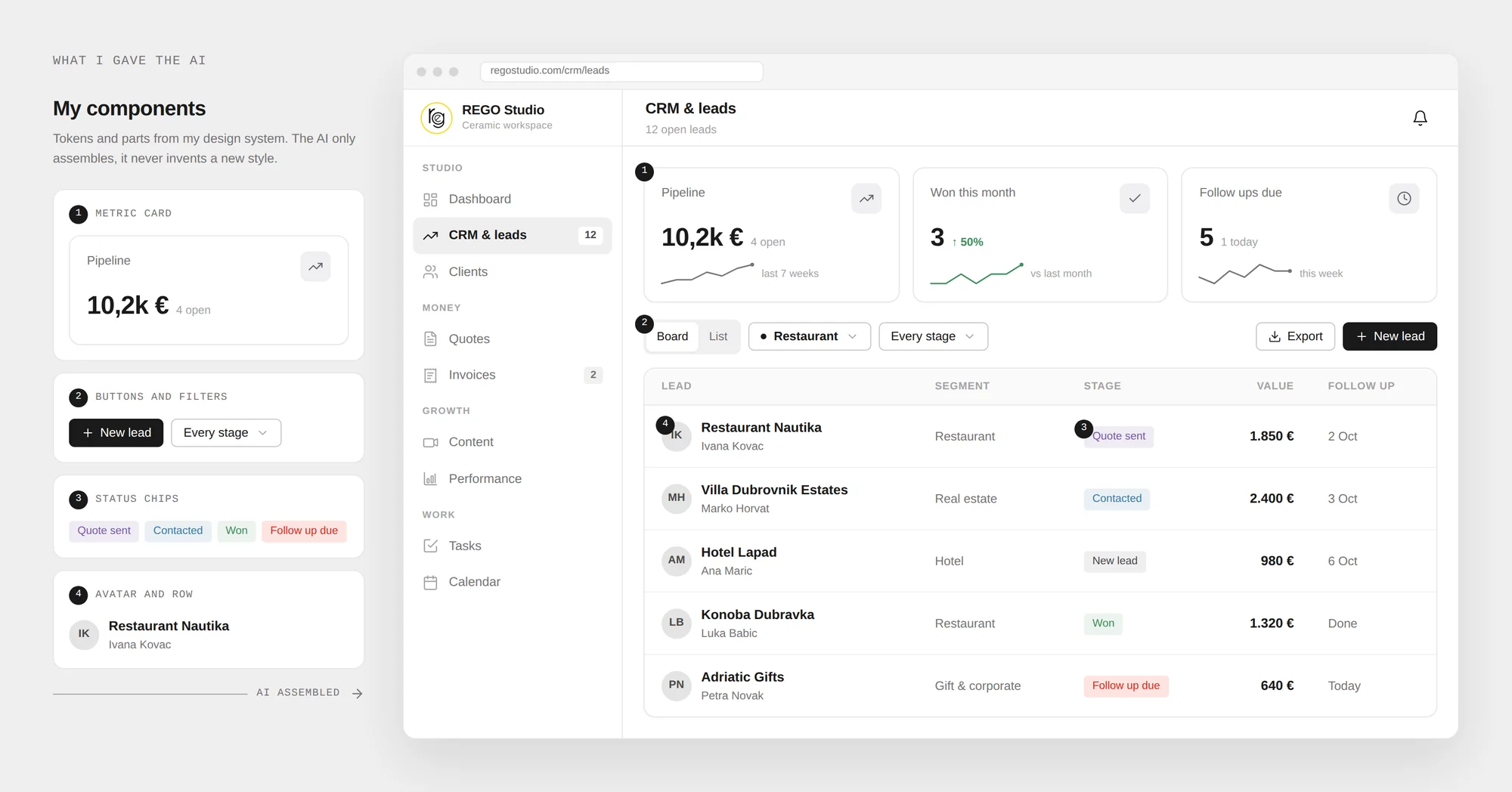
Step 3, What AI Built From It
With the system and tokens in place, AI assembled the real screens. Same buttons, same cards, same chips, now working with real studio data.
FROM DESIGNER TO AI ENGINEER
There was no handoff, because there was nobody to hand off to. I was the designer and the engineer. My design system set the rules, AI did the assembly, and every decision stayed with me. Five stages, start to finish.
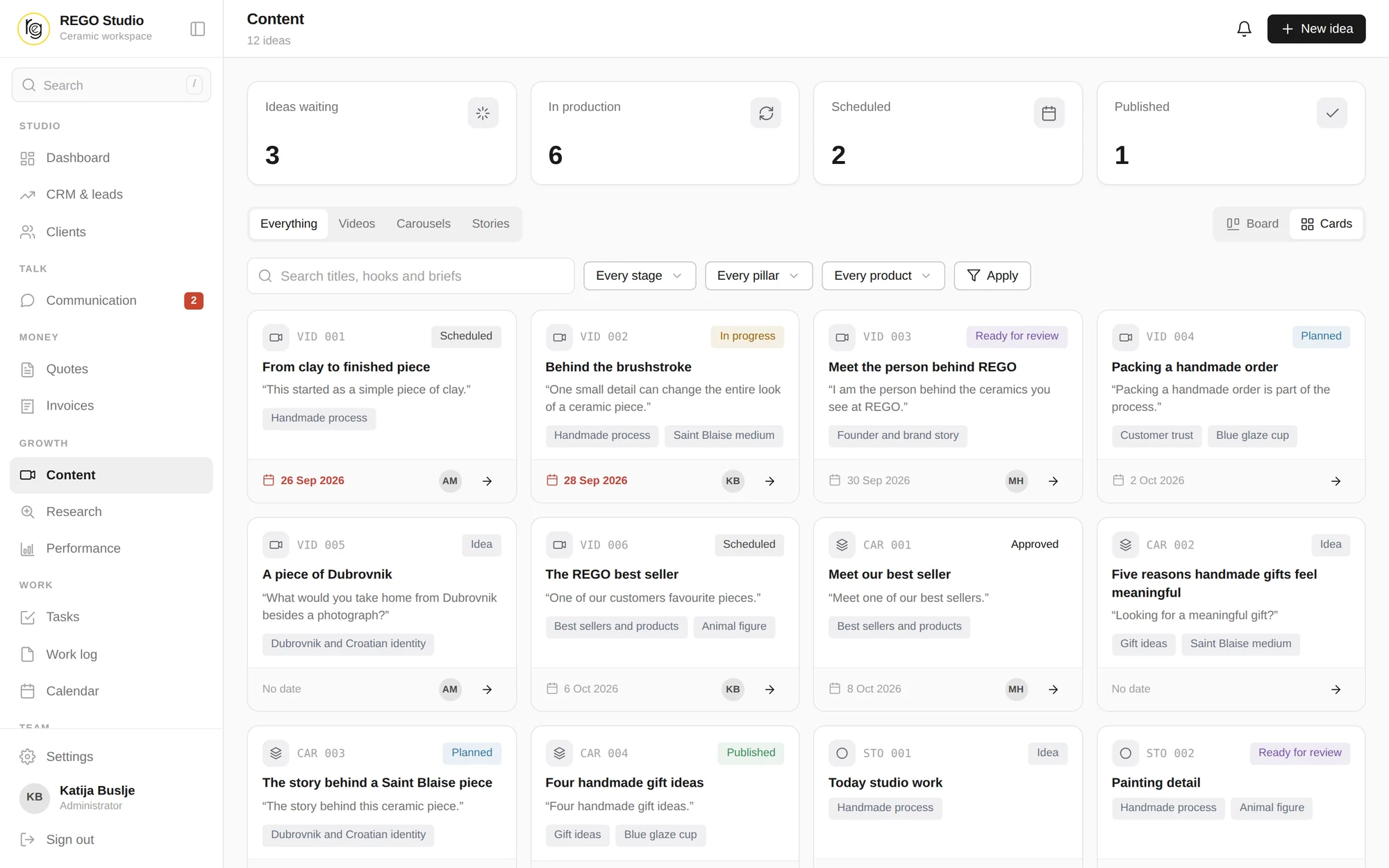
FIXING THE BIGGEST PROBLEM FIRST: CONTENT
Social media was the problem hurting her most, so it got the most attention. Before, ideas lived only in her head and posting was always behind. Now every idea has a home the moment she has it, the whole month is planned, and nothing goes live without her approval.
THE CRM, MONEY AND TASKS
The same root problem showed up on the sales side. Leads from the market stall went into a notebook, follow ups depended on memory, and nobody could see who was working on what. I gave each of these a home and connected them, so a lead can become a quote, then an invoice, without typing anything twice.
DESIGNING WITH AN AI WORKFLOW
The AI workflow is how one person designed and shipped a whole platform. The key was control. AI is fast, but speed without direction just gives you more screens to fix. So I used it like a very quick pair of hands working from my system, never as the one making the decisions.
How Every AI Call Worked
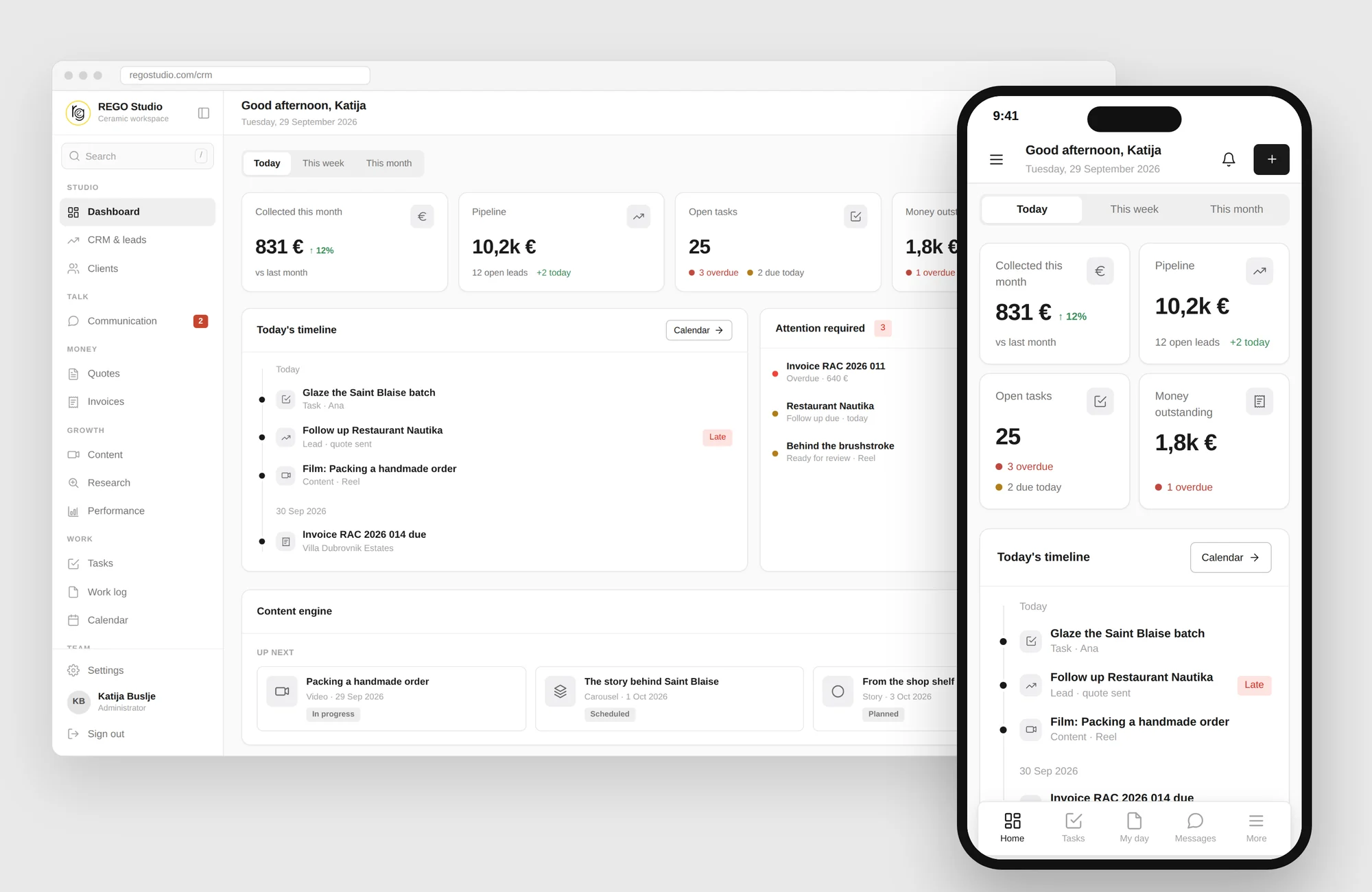
LAPTOP AND PHONE, ONE PLATFORM
The phone wasn't an afterthought. It's where most of the studio's day happens. So the full platform runs on a phone at the market stall, and the laptop is for planning and reviewing at a calmer pace.
WHAT FEEDBACK CHANGED
Once the studio used the platform every day, their feedback reshaped two parts of it. These weren't cosmetic tweaks. They changed how the owner and her team move through the day.
Content Grew From a List Into a Workflow
Content started as a simple list. Real use showed it needed much more, so the calendar, the library and the approval flow came out of that feedback. Now it's the first thing she opens every morning.
Performance and Tasks, Honest and Fast
Performance became charts first, drawn only from real recorded numbers. No line appears until there is data behind it. Tasks got bulk actions, inline status, and a three dots menu for everything else.
IMPACT & OUTCOMES
Six months in, these are the real changes in how the studio runs. The notebook is gone, nothing lives only in her head anymore, and the week isn't improvised.
IF I RAN IT AGAIN
Three things I would do differently, now that I can see the full shape of it.
This project showed me how much I can own on my own: the research, the product thinking, the design system and the working code, with AI as a real part of the build and every decision still mine. The biggest lesson: a small business doesn't need more software. It needs one calm place that fits how it already works.