DESIGN PROCESS
PROBLEM
Surge Plumbing relied on disconnected tools and manual processes to run daily operations.
Key problems included:
Job scheduling handled through phone calls and spreadsheets
Limited real time visibility into active jobs and technician availability
Manual estimate creation and invoicing, leading to delays and errors
Difficulty tracking technician time, productivity, and job status
Scattered customer information across multiple tools
As the business scaled, these inefficiencies increased operational overhead, slowed response times, and reduced overall control of the operation.
SOLUTION
A role based internal operations platform designed specifically for plumbing service workflows.
The system centralizes the entire operational lifecycle into a single platform, including:
Job creation, scheduling, and status tracking
Leads and estimates with approval and job conversion
Technician job execution with time tracking and notes
Automated invoicing and financial visibility
Reporting for performance and operational insights
Each user role, admin, office staff, and technician, interacts with a tailored interface that surfaces only relevant information, reducing cognitive load and improving task efficiency.
Reflection on the Design
The design reflects a balance between operational depth and everyday usability. By focusing on role based workflows and system clarity, the platform supports real world plumbing operations without adding unnecessary complexity.
COMPETITIVE ANALYSIS
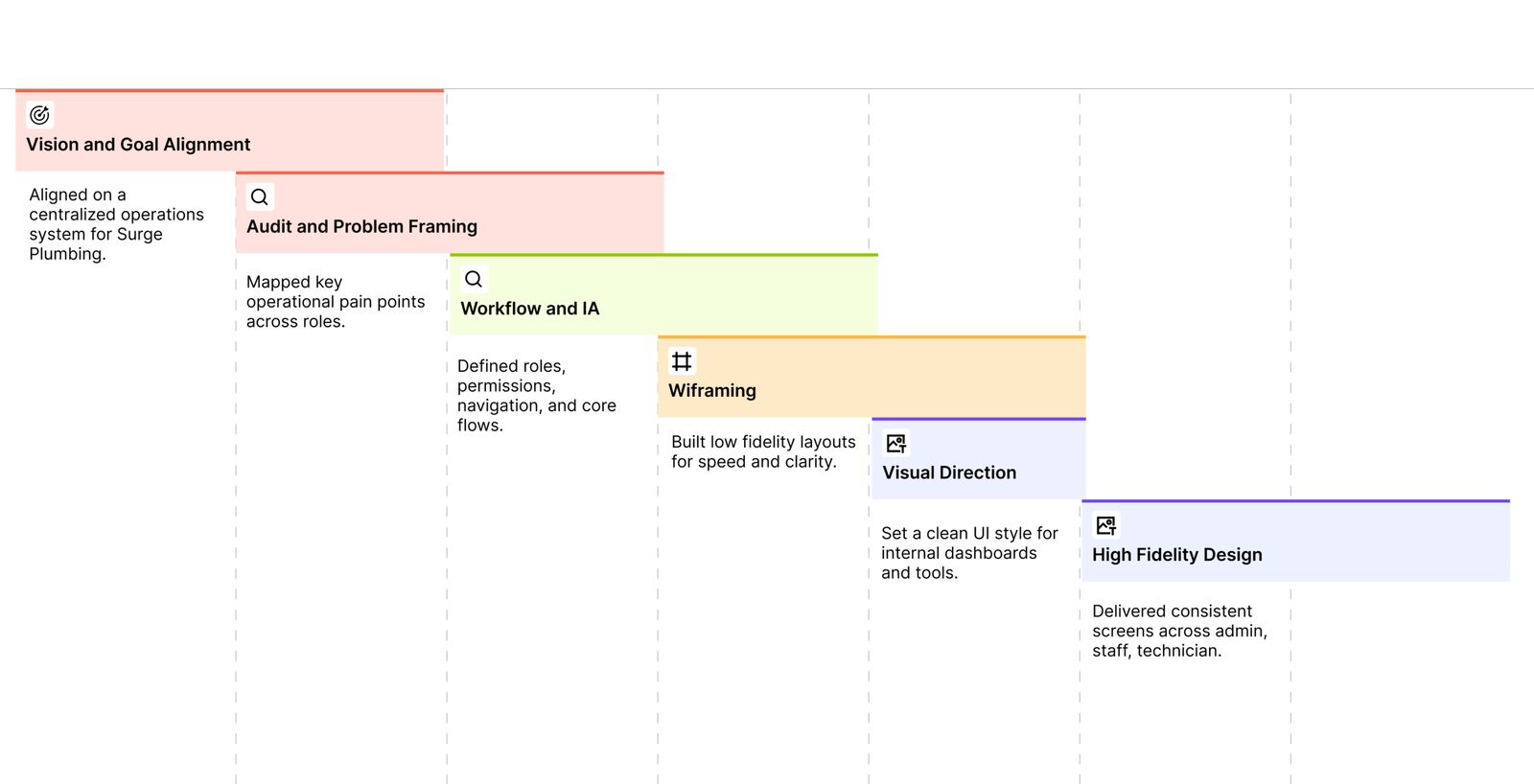
Reviewed existing field service and plumbing management tools to understand common patterns, feature gaps, and usability issues. This analysis highlighted opportunities to simplify workflows, reduce interface complexity, and better support role based operations for small to mid sized plumbing businesses.
Jobber
Scheduling, dispatch, and Job management and client communication for small teams.
VISUAL IDENTITY
The visual identity for Surge Plumbing was designed to reflect reliability, clarity, and operational confidence. As an internal operations system used daily by owners, office staff, and technicians, the interface prioritizes function over decoration.
Establishing the Brand Guideline
Defines how the logo is applied to maintain a clear and consistent brand identity.
Typography System
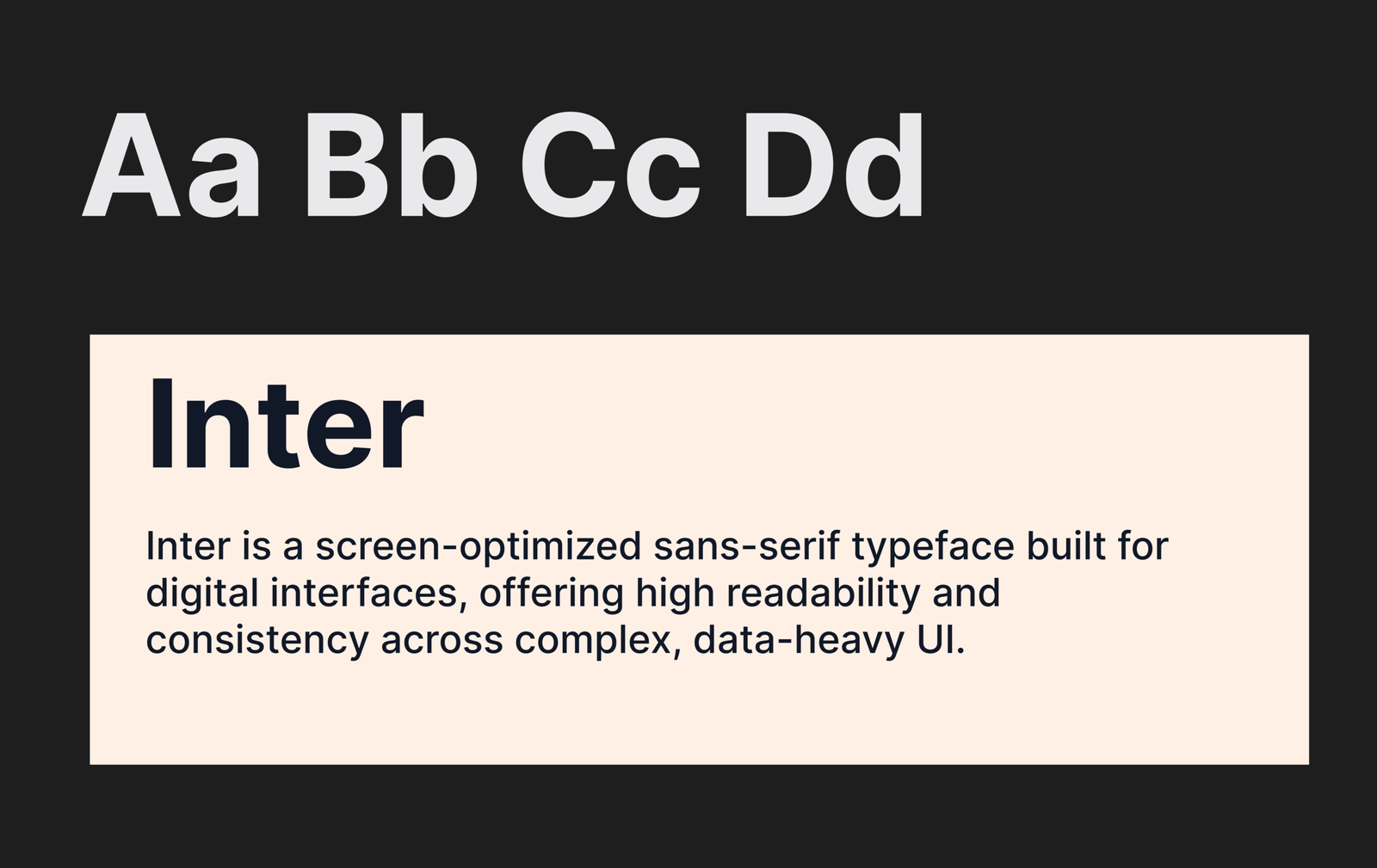
I chose Inter as the primary typeface to support clarity and usability across Surge Plumbing’s operational interface. Designed specifically for digital screens, Inter offers excellent readability in data-dense layouts such as tables, dashboards, and reports. Its neutral, modern structure ensures the interface feels professional and dependable while staying unobtrusive during everyday operational tasks.
Defining the Brand Colors
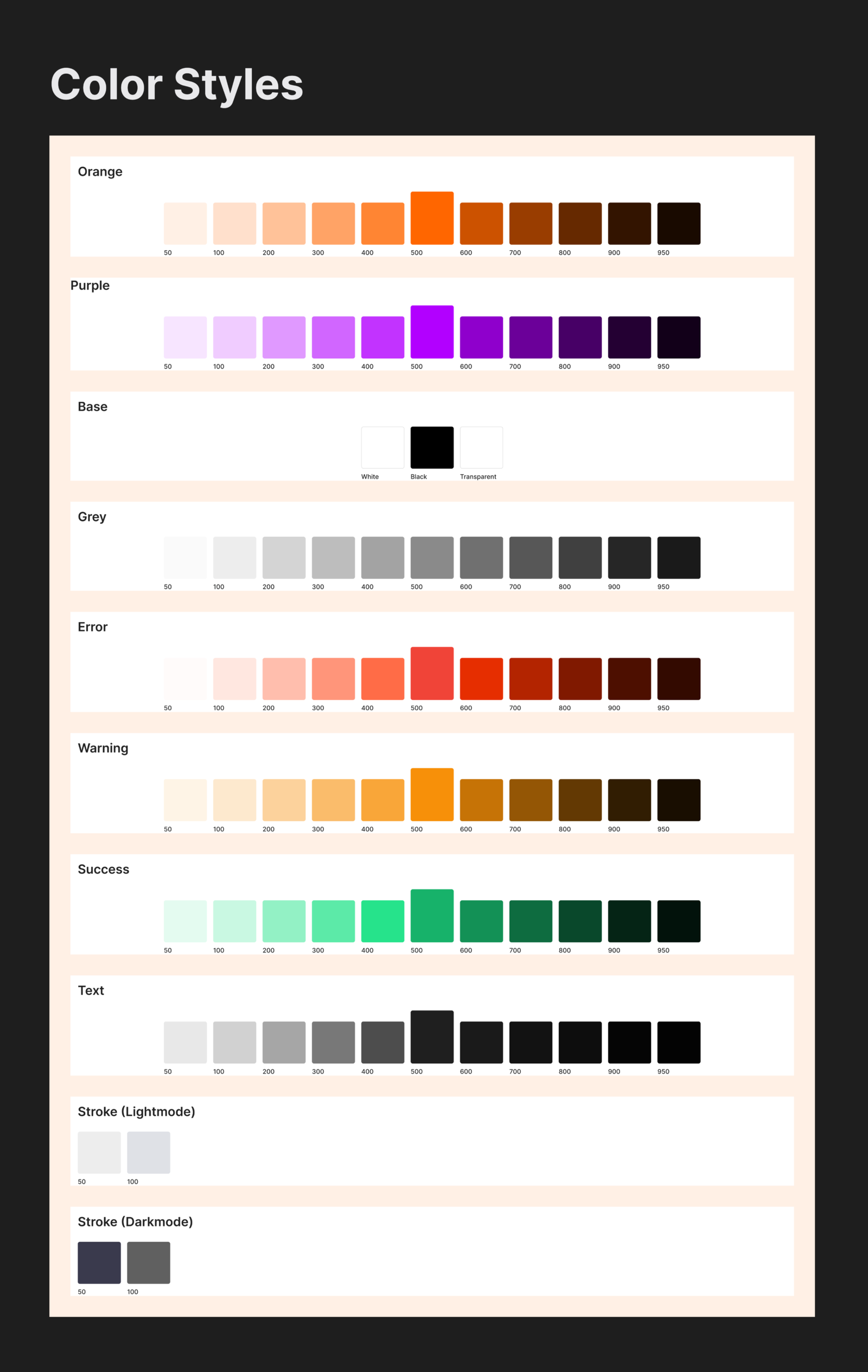
We curated a purposeful color palette to support clarity and operational awareness within the Surge Plumbing system. Neutral base colors provide a clean foundation for data-heavy screens, while accent colors are used intentionally to highlight job statuses, priorities, and financial states such as pending, completed, or overdue.
ICONOGRAPHY
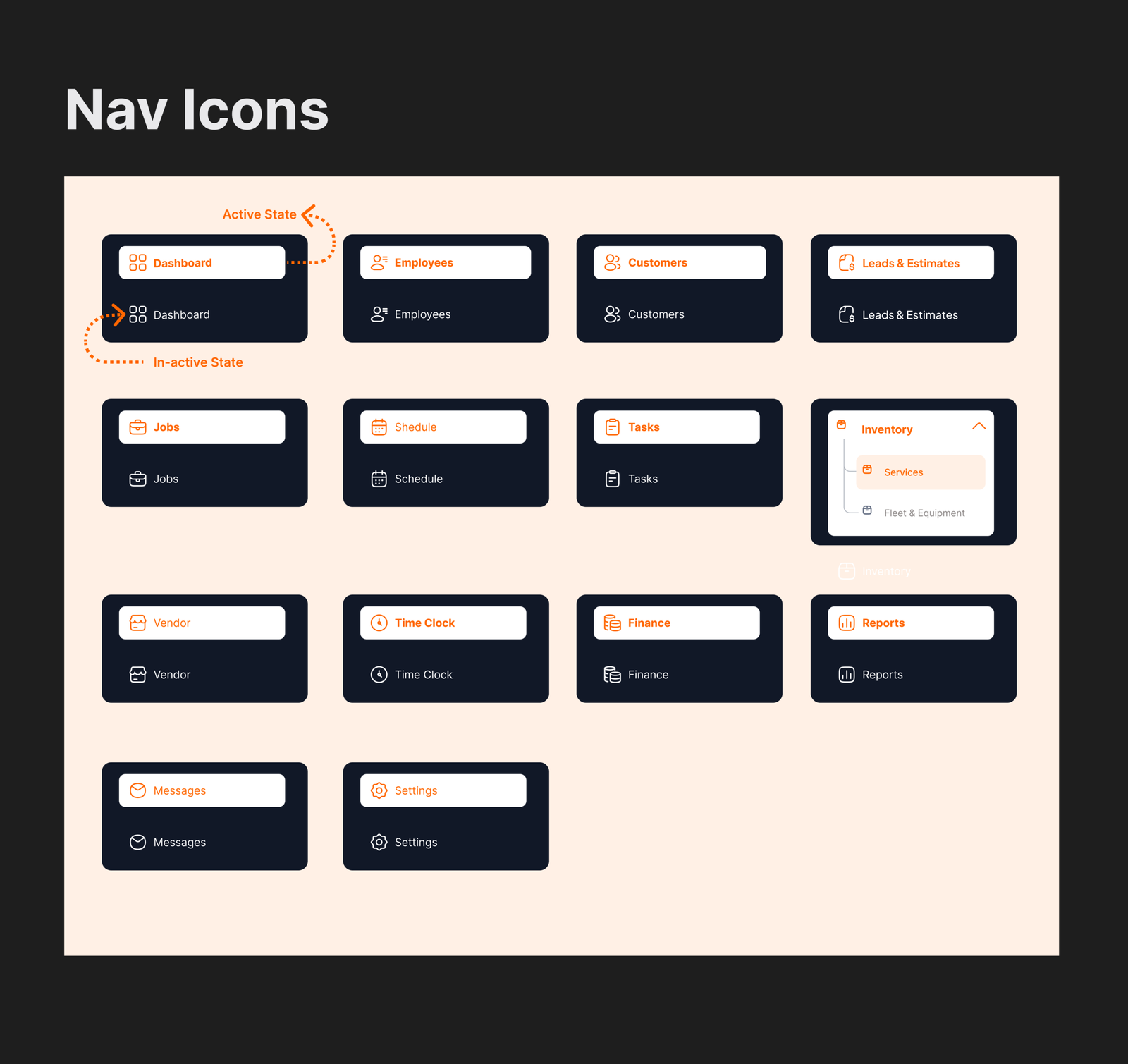
I designed clear and consistent icons to guide users through Surge Plumbing’s workflows, using active states to improve orientation and navigation across the system.
Defining the Brand Colors
We curated a purposeful color palette to support clarity and operational awareness within the Surge Plumbing system. Neutral base colors provide a clean foundation for data-heavy screens, while accent colors are used intentionally to highlight job statuses, priorities, and financial states such as pending, completed, or overdue.
Wireframe - From Ideas to Structure
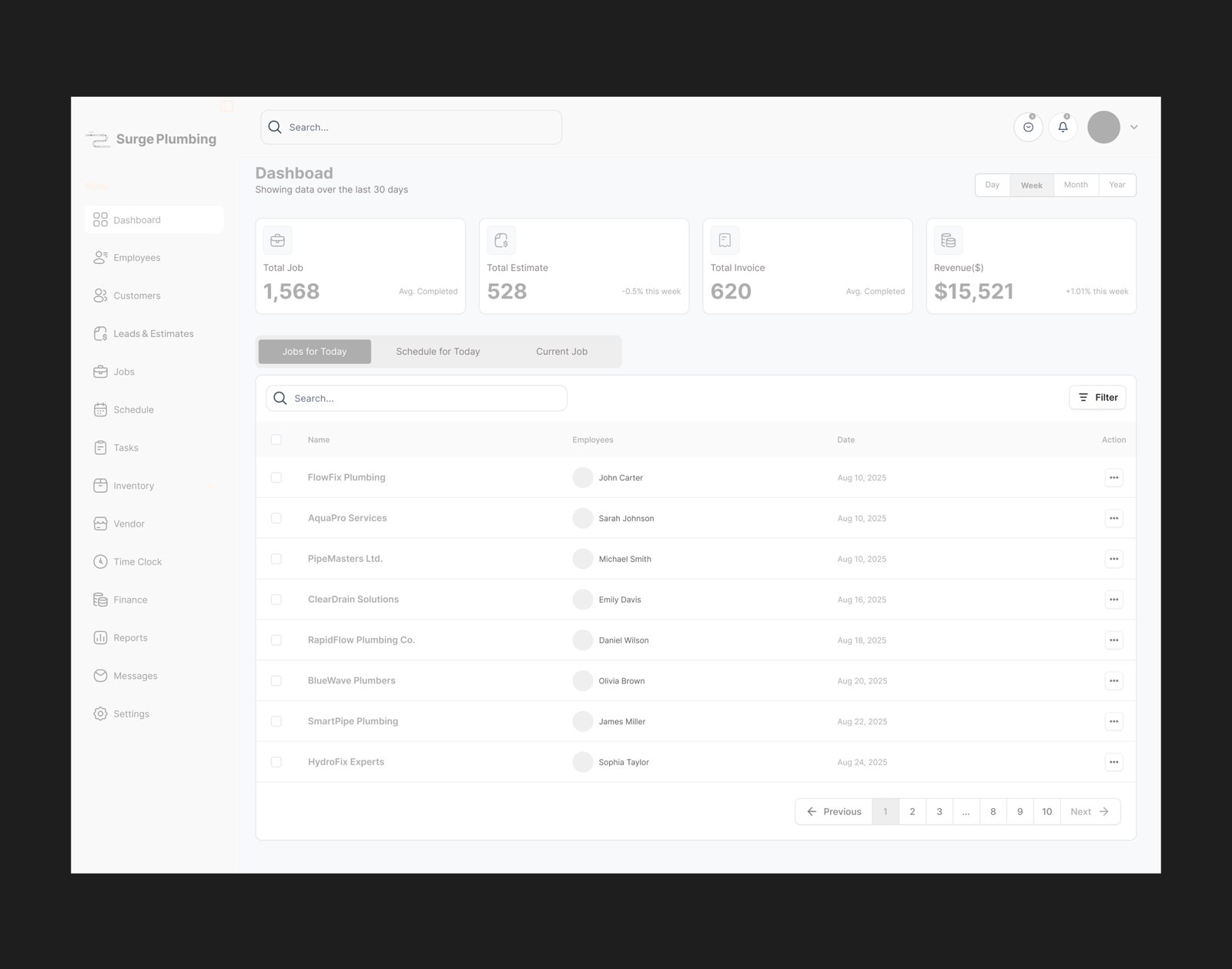
dashboard - Operations Overview at a Glance
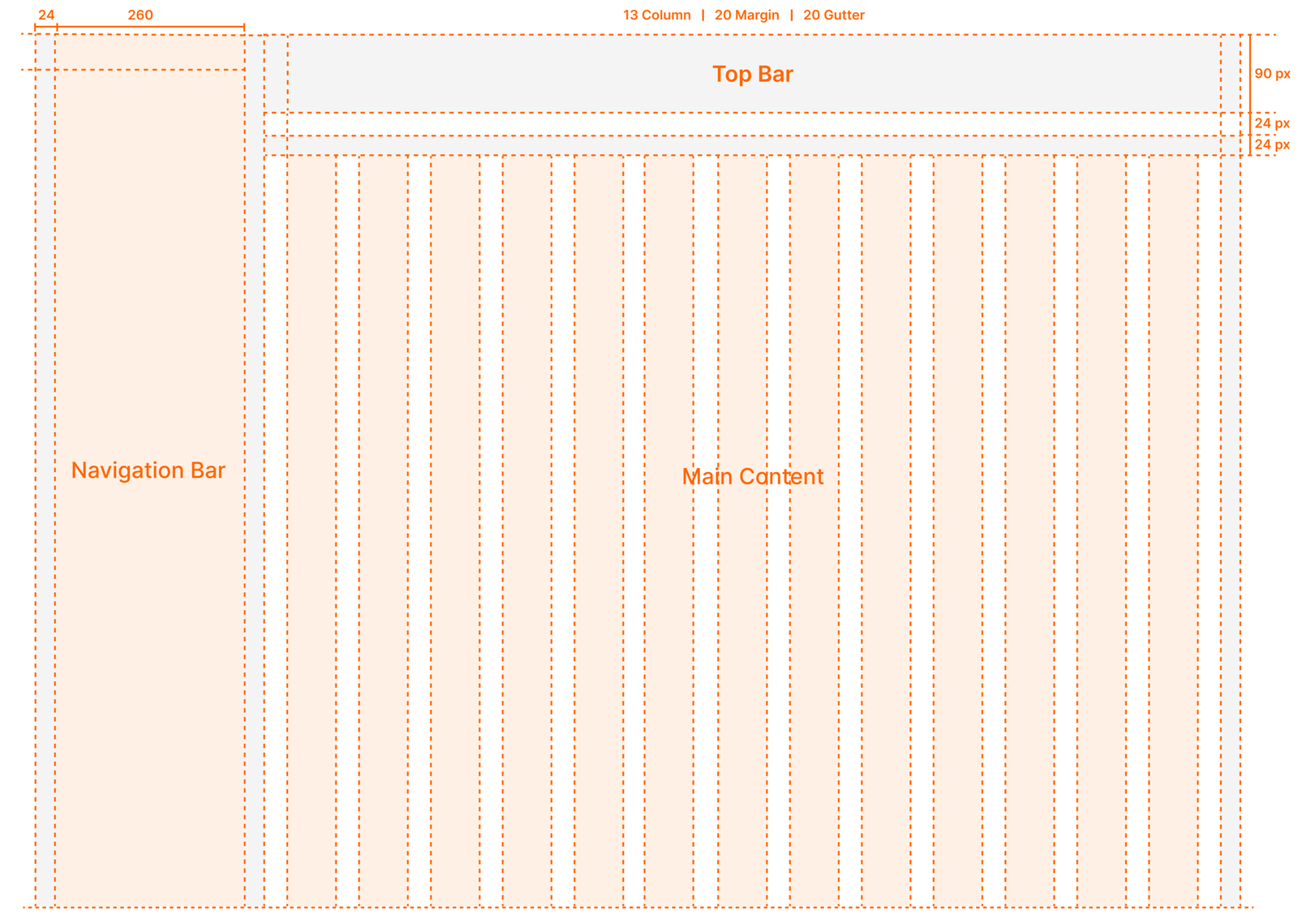
I designed the layout using a structured 13-column grid system to bring consistency and balance across Surge Plumbing’s admin and operational screens. The grid clearly separates the navigation bar, top bar, and main content area, ensuring predictable layout behavior across complex dashboards.
WIREFRAME
I used wireframes to shape Surge Plumbing’s core workflows, focusing on job management, scheduling, and technician tasks. This phase ensured each role could complete actions efficiently with minimal friction.
Core Modules Explained
Dashboard
The Surge Plumbing dashboard provides a real-time snapshot of daily operations, including active jobs, technician availability, pending tasks, and key financial indicators. It helps business owners and office staff quickly understand what is happening across the operation and where attention is needed.
Jobs - Manage and Track Jobs End to End
The Jobs section allows users to create, assign, and monitor jobs from start to completion.
Each job includes customer details, assigned technicians, status updates, notes, and activity history, ensuring full visibility throughout the workflow.
employee
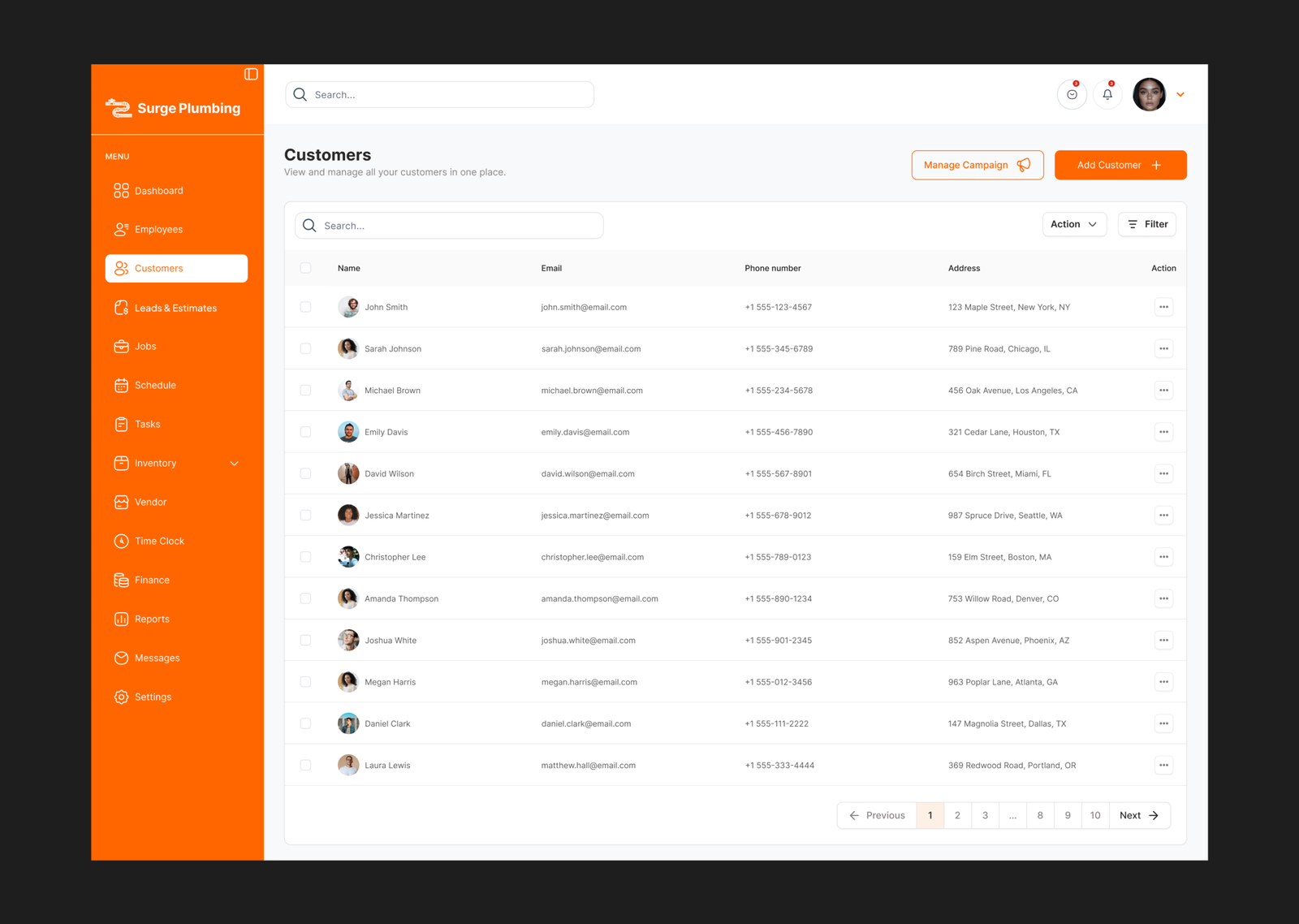
Surge Plumbing includes a comprehensive customer management system where businesses can store customer profiles, contact details, addresses, job history, documents, and tags such as residential or commercial. Each customer profile serves as a central record for all interactions and services provided
Leads and Estimates
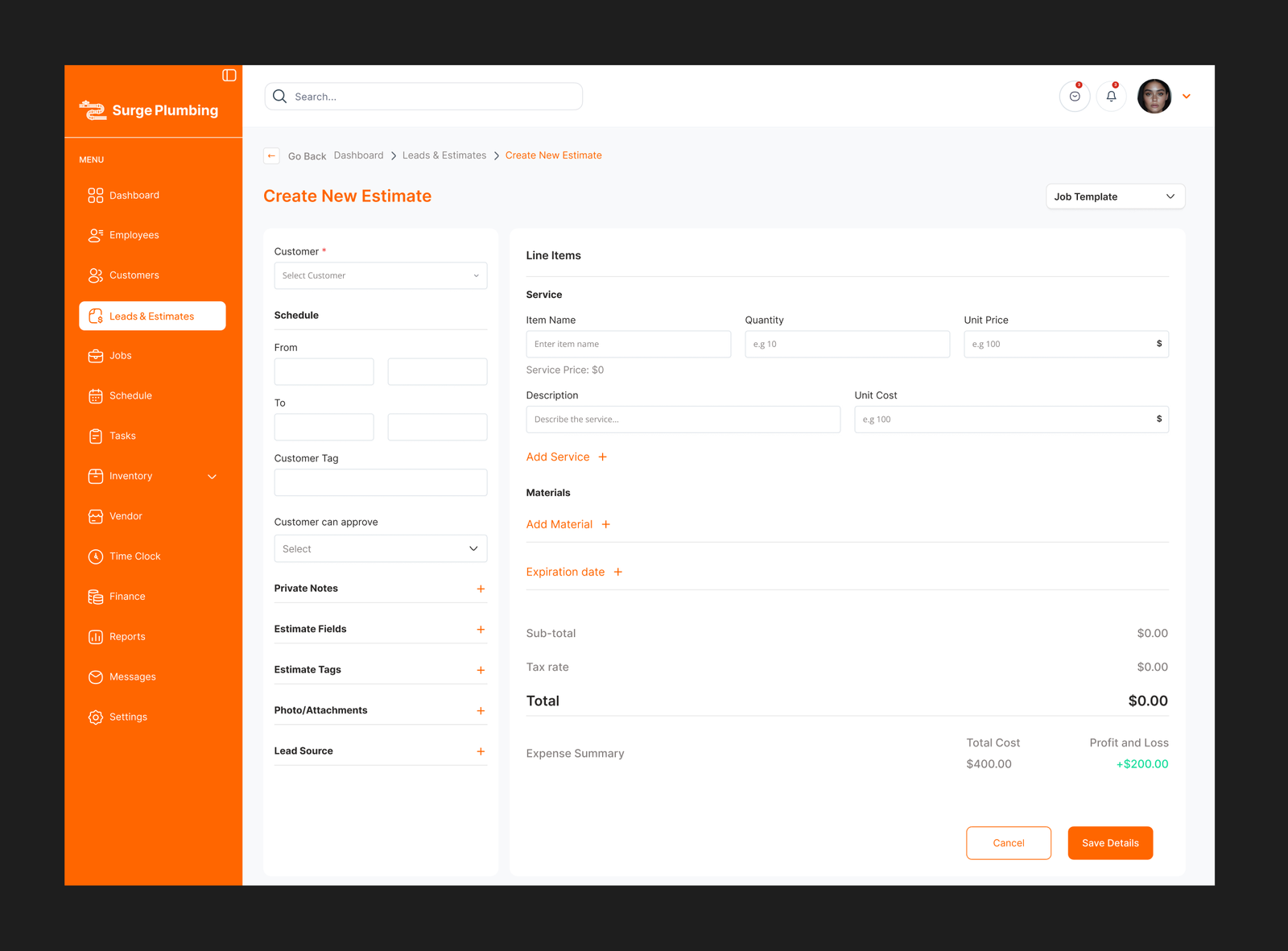
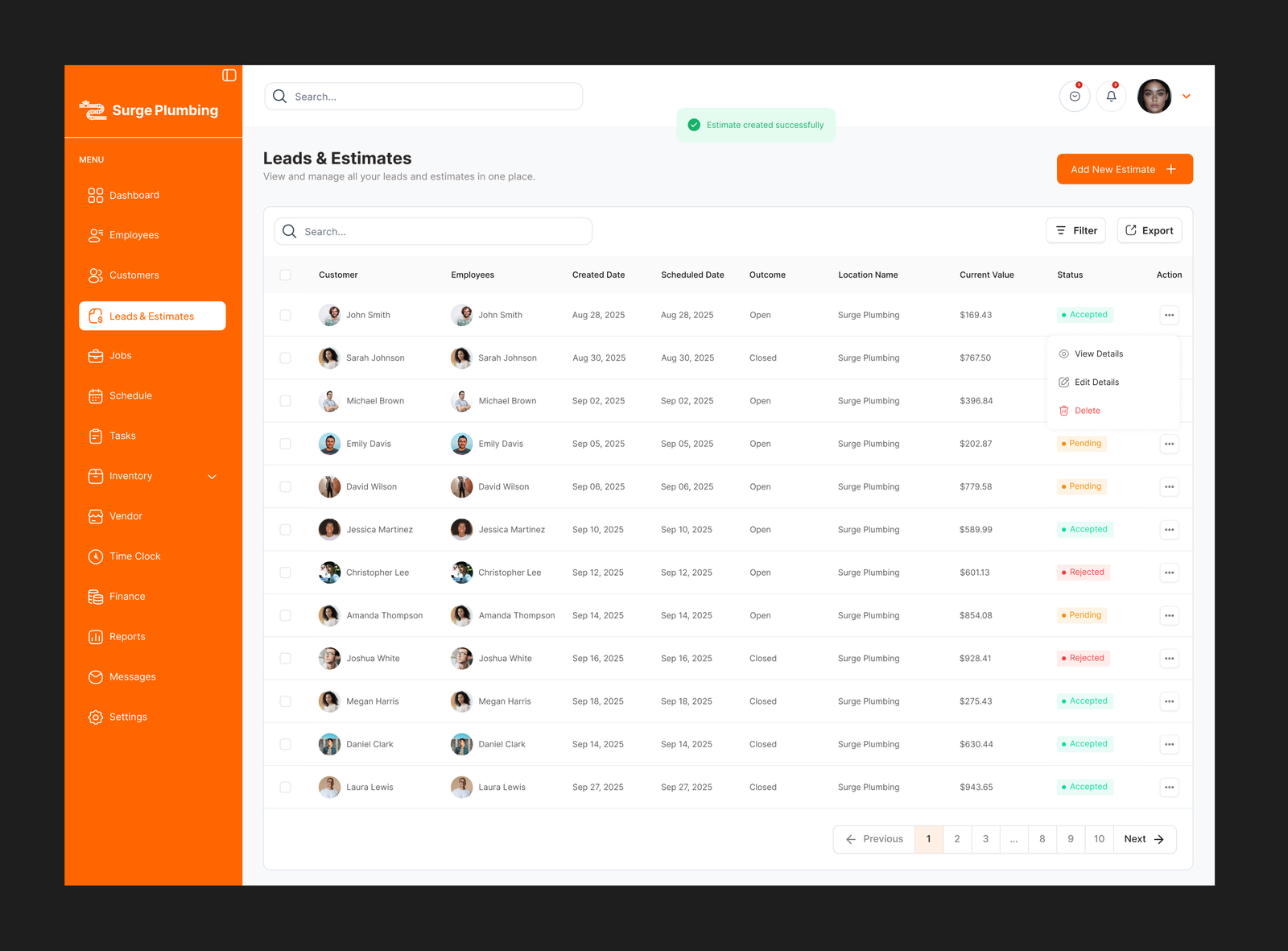
Surge Plumbing supports lead tracking and estimate creation, helping plumbing businesses convert inquiries into confirmed jobs. Estimates can be monitored and analyzed to understand conversion rates and sales performance.
Jobs
The software allows teams to create and manage jobs with details such as job type, location, customer category, and lead source. Jobs can be scheduled, tracked, and updated in real time, ensuring technicians and office staff remain aligned throughout the job lifecycle
schedule
The Schedule module in Surge Plumbing is designed to help plumbing companies plan, assign, and manage daily service appointments efficiently. It provides a centralized calendar view that aligns jobs, technicians, and time slots, ensuring smooth coordination between office staff and field teams.
tasks
The Tasks module in Surge Plumbing is designed to help plumbing teams break down jobs into actionable steps and ensure work is completed efficiently and on time. It supports both office staff and field technicians by providing clear task assignments and progress visibility.
INVENTORY
The inventory system allows businesses to track plumbing materials, tools, and supplies, while the vendor module manages supplier information. This reduces material shortages and improves procurement efficiency.
TIMECLOCK
The Time Clock module in Surge Plumbing is designed to track employee working hours accurately and efficiently. It provides plumbing companies with real time visibility into labor time, helping improve payroll accuracy, productivity tracking, and workforce management.
FINANCE
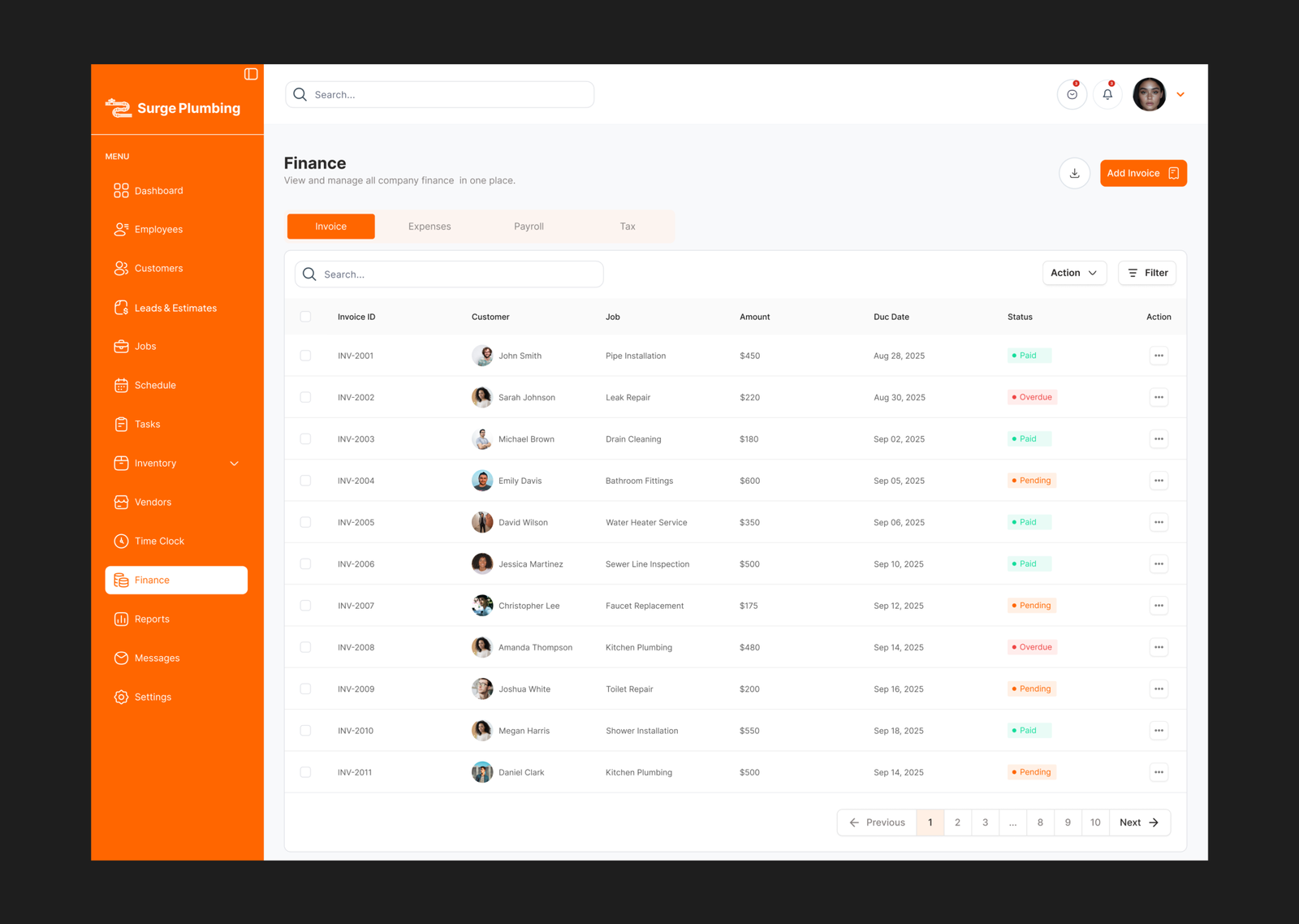
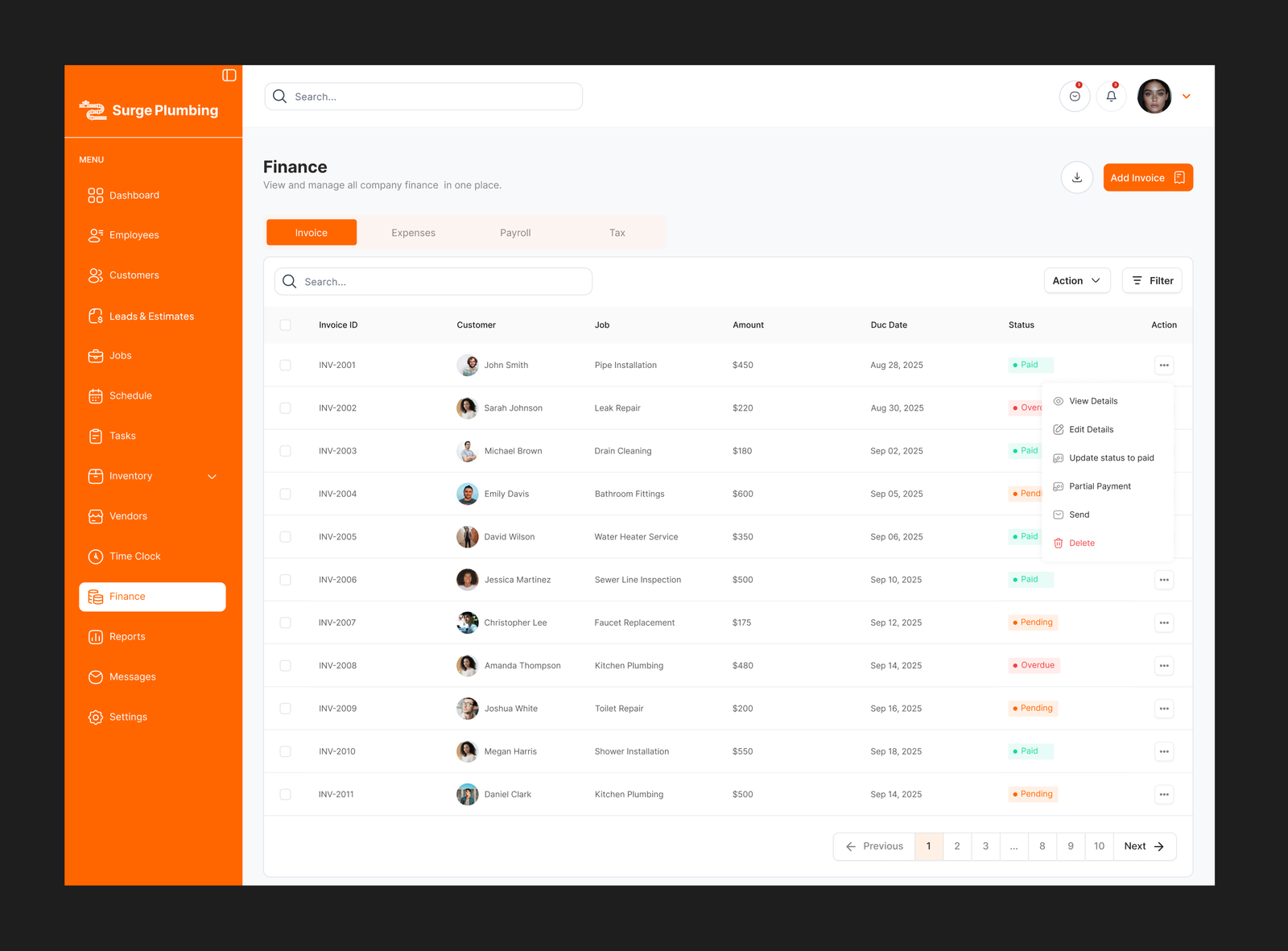
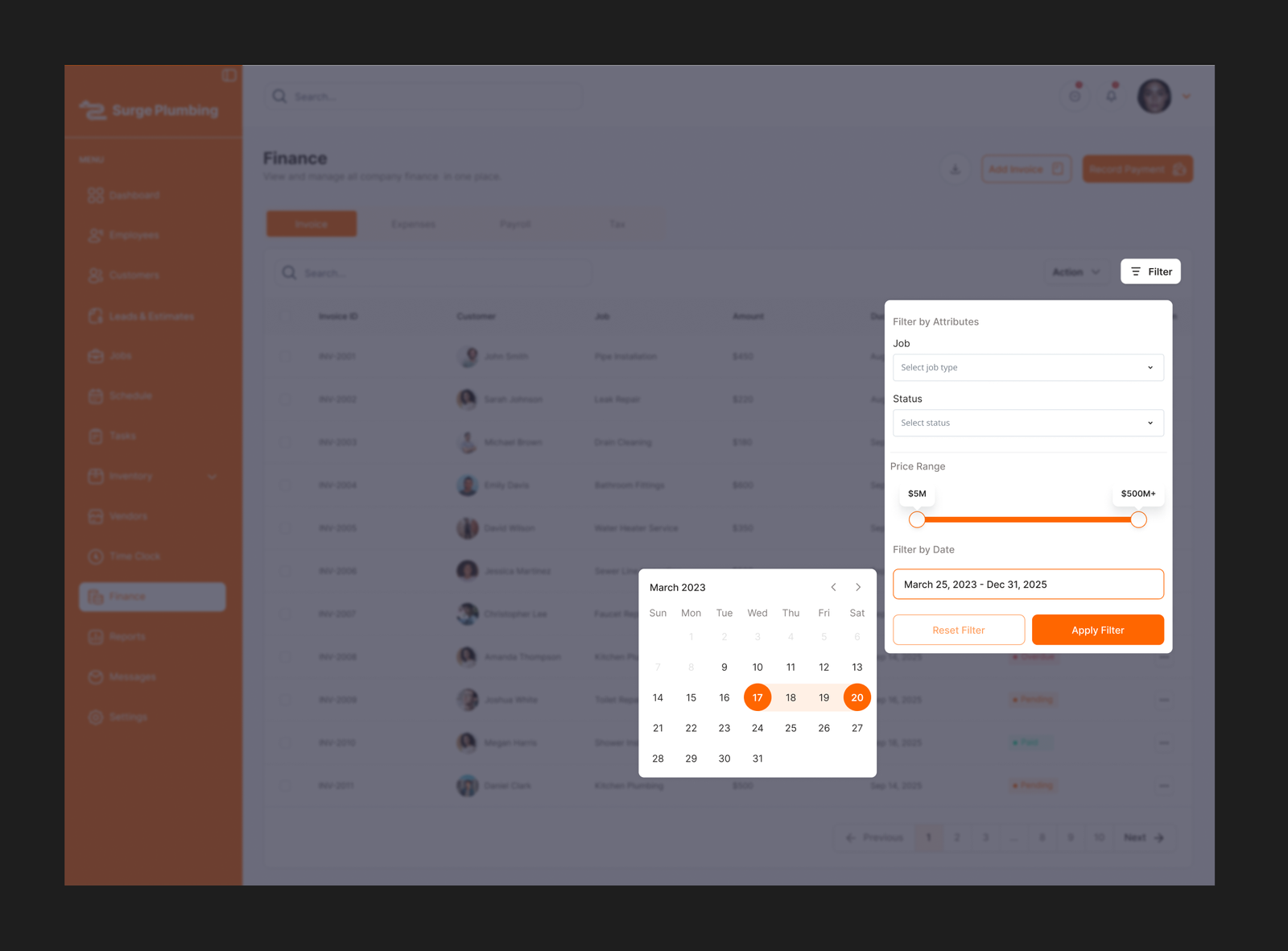
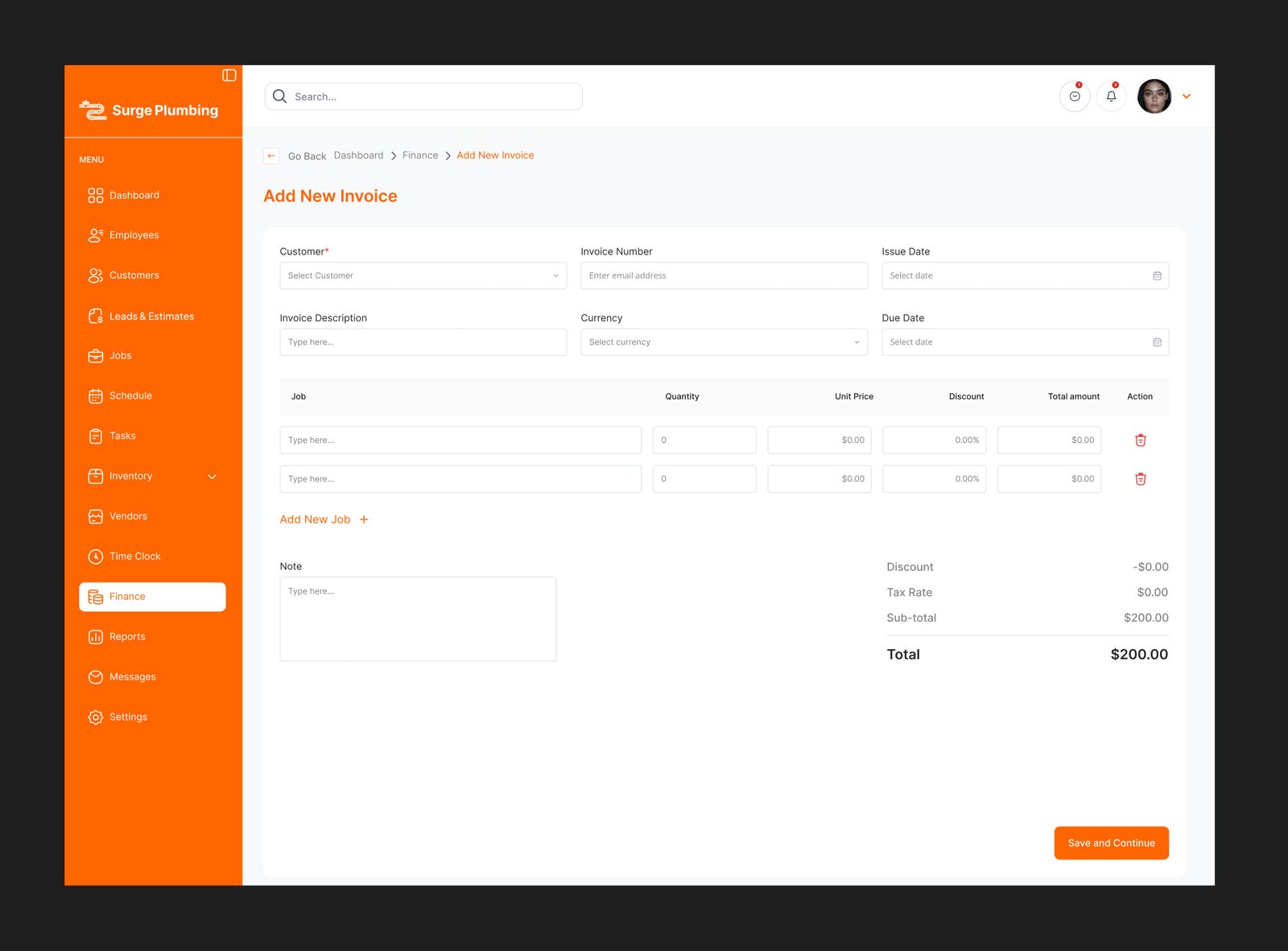
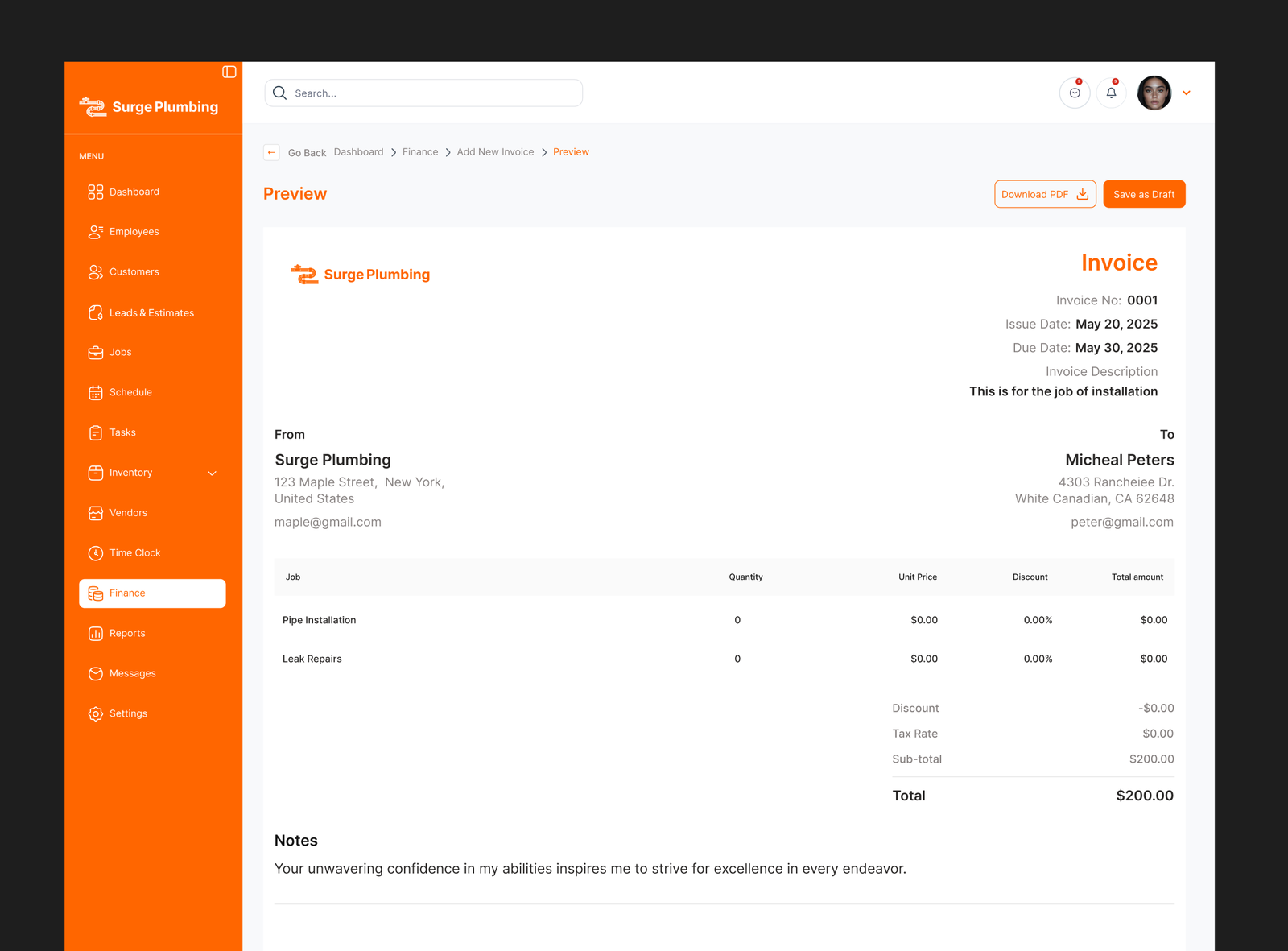
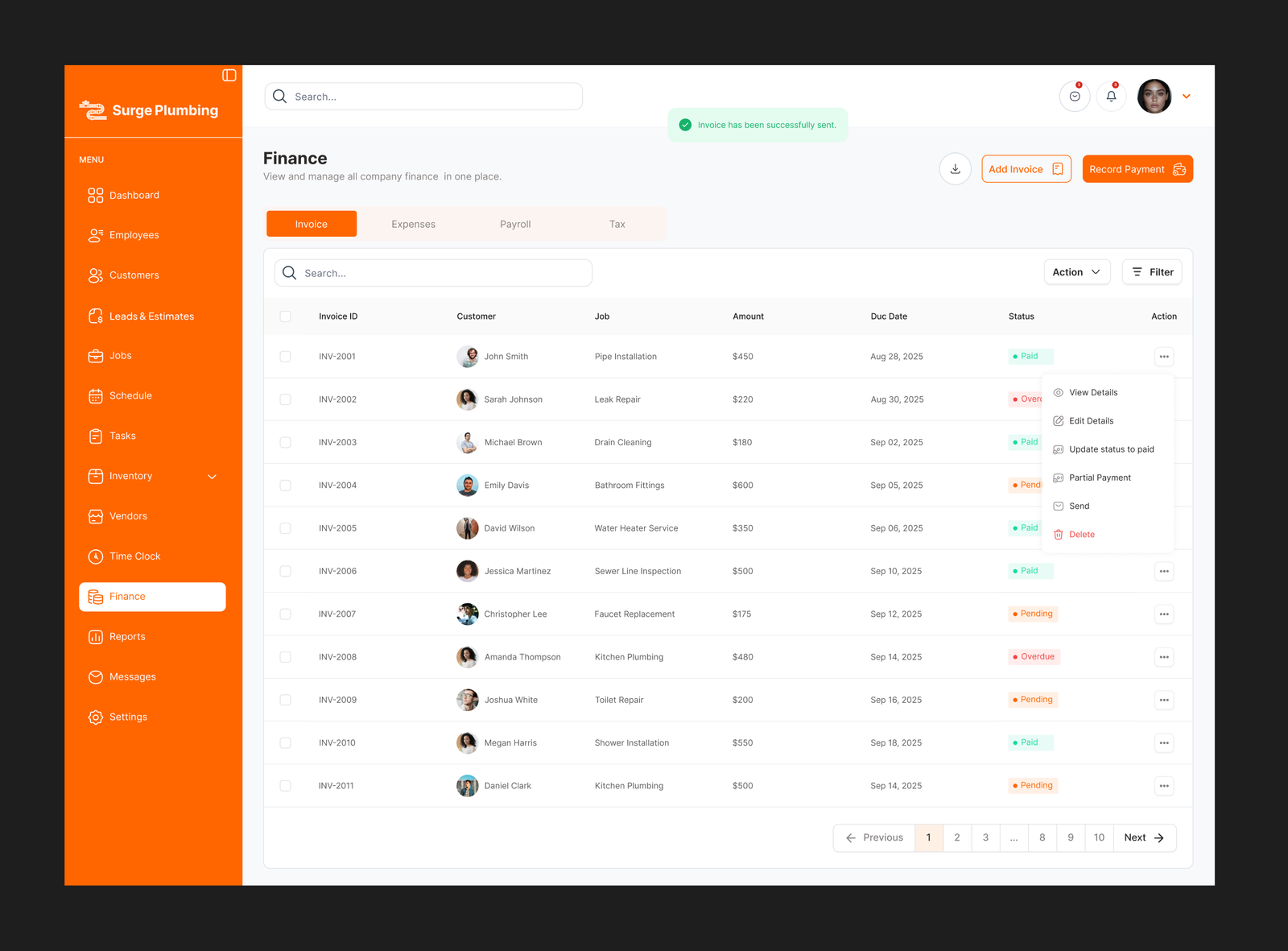
The Finance module in Surge Plumbing is designed to give plumbing businesses full control and visibility over their financial operations. It centralizes revenue tracking, invoices, payments, and financial performance data in one system.
reports
The Reports module provides plumbing businesses with actionable insights into their operations and performance. It transforms raw data from jobs, finances, employees, and customers into structured reports that support better decision making.
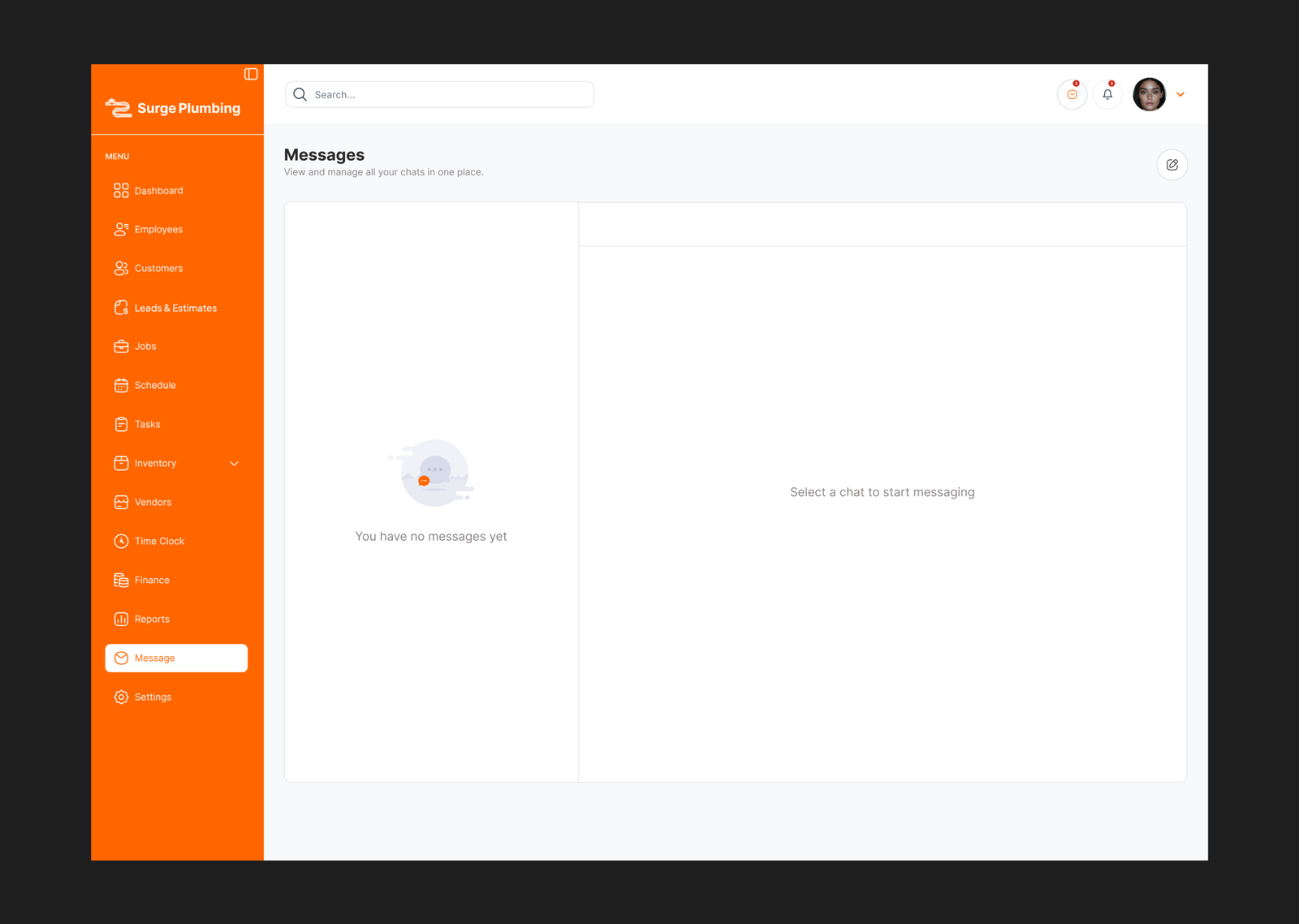
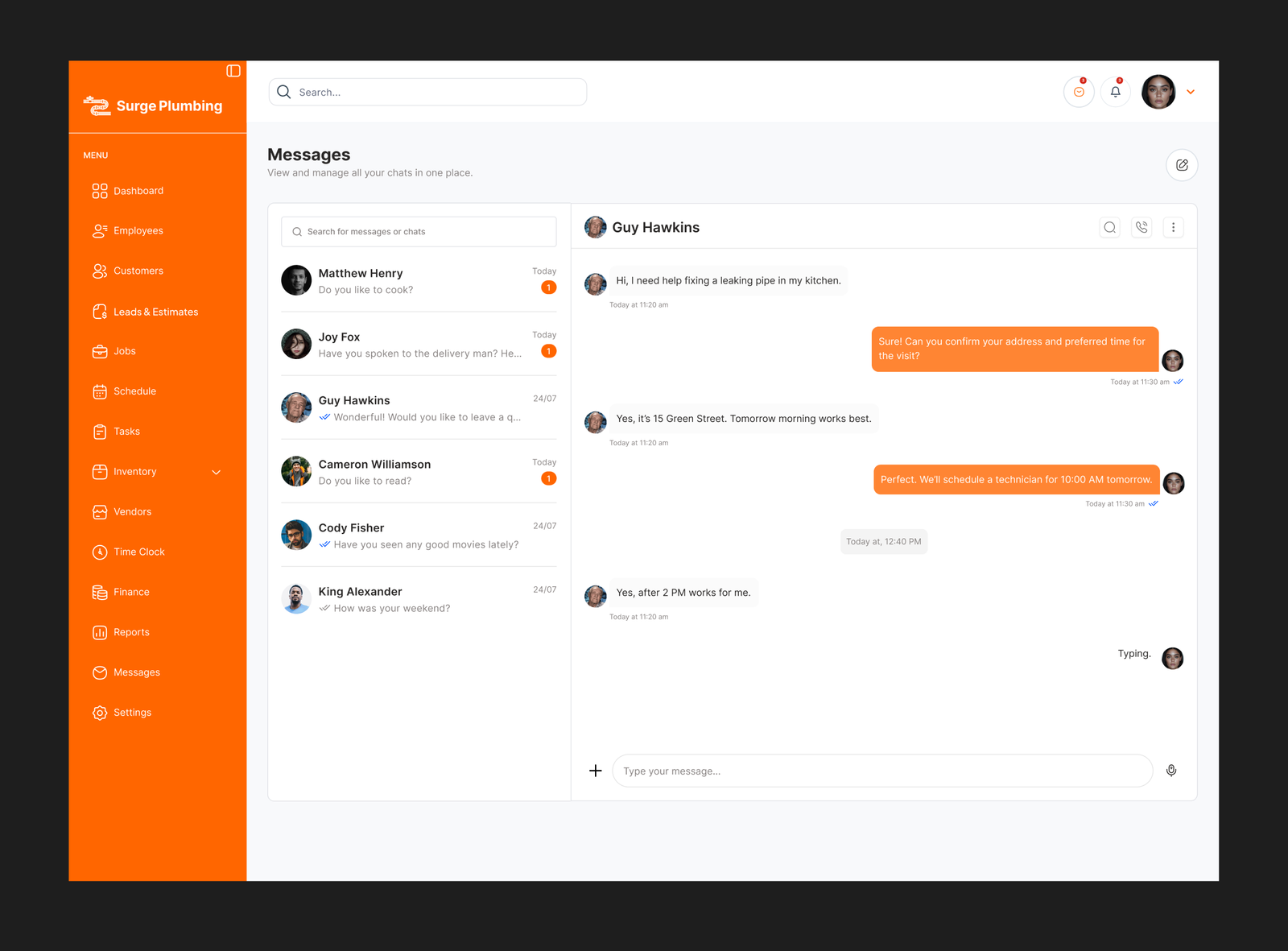
message
The Messages module is a built in communication system that allows teams to collaborate without leaving the platform. It centralizes internal communication related to jobs, customers, and daily operations.
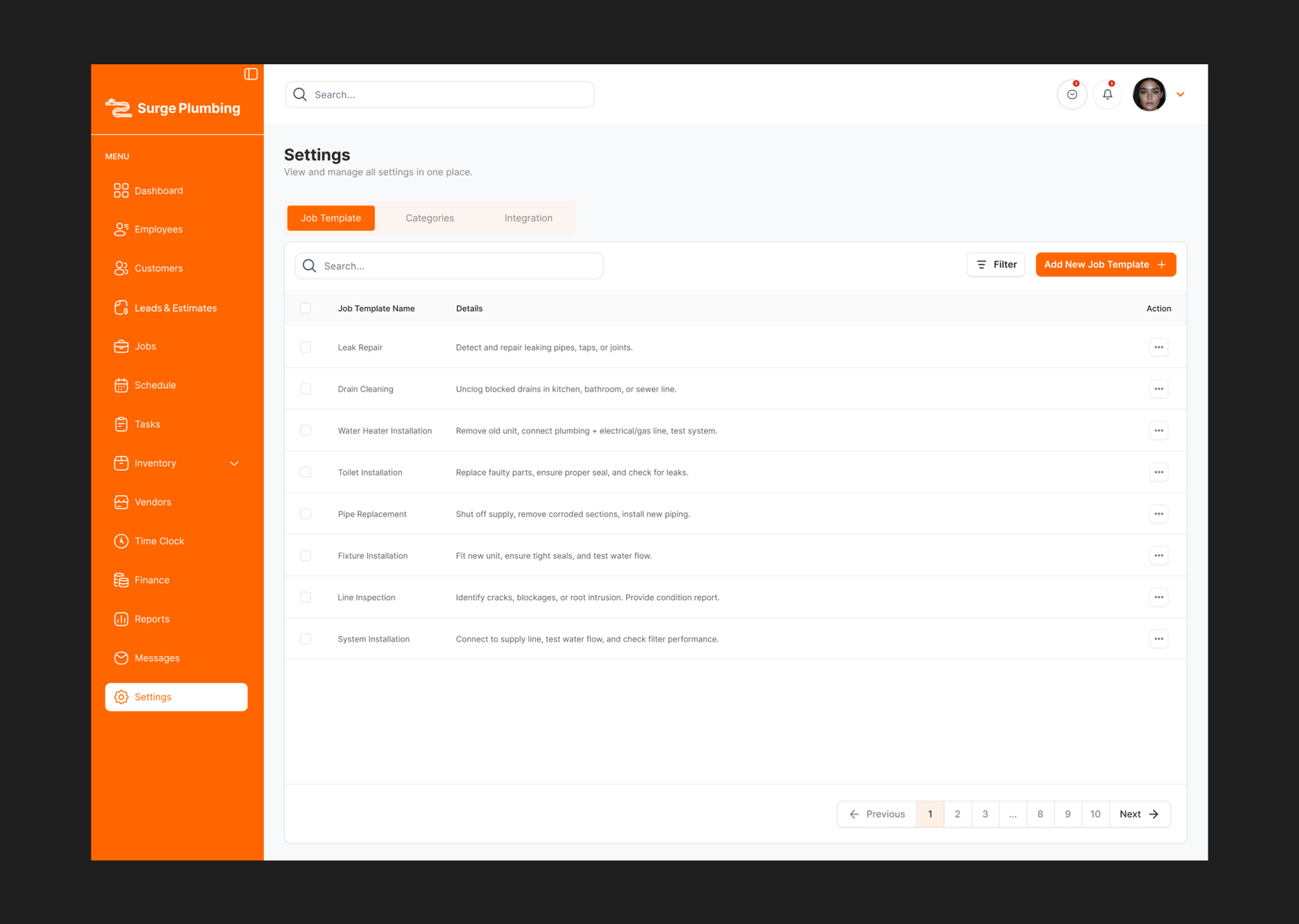
settings
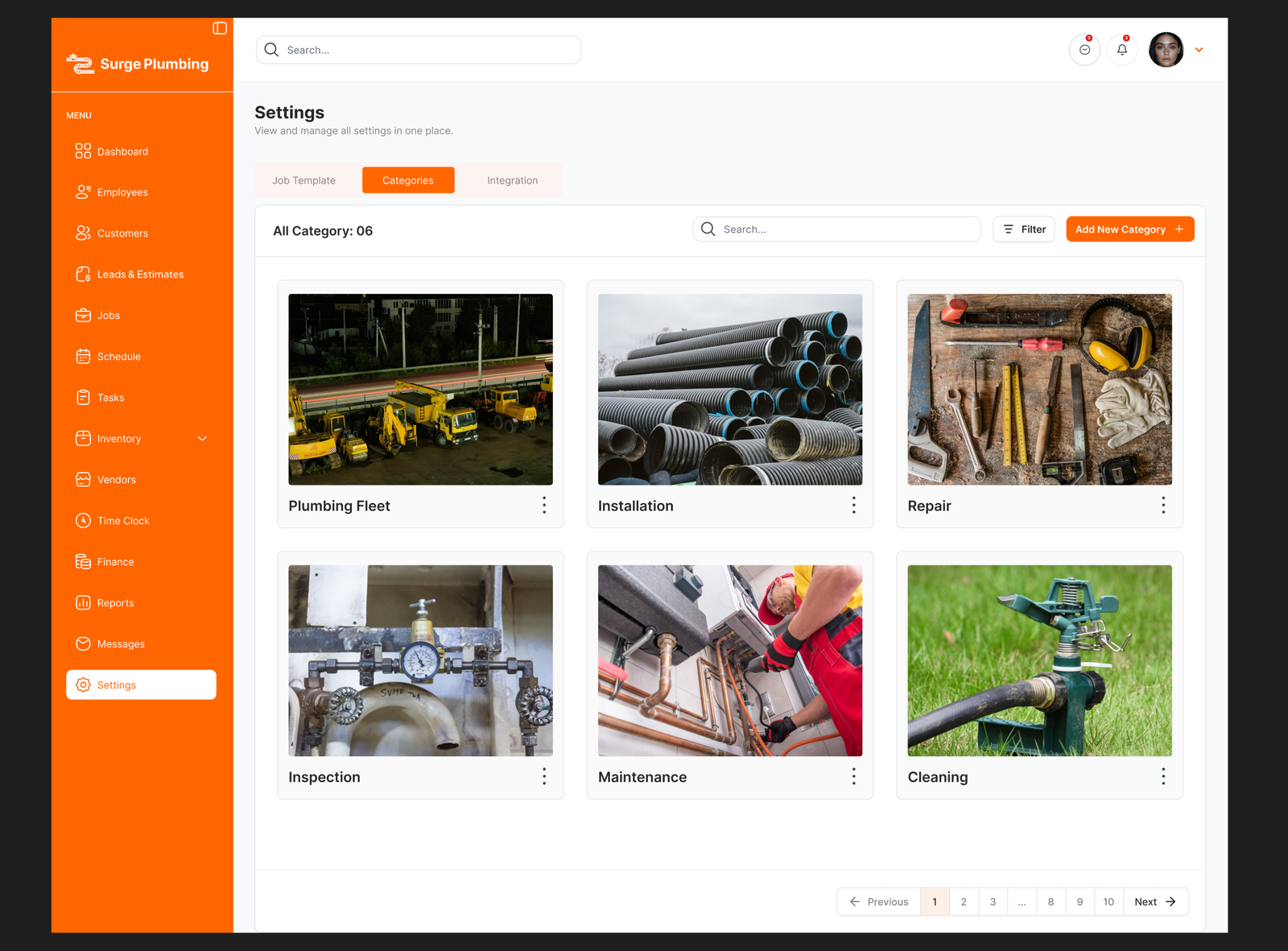
The Settings module is the configuration and control center of Surge Plumbing. It allows administrators to define how the system operates by setting up job structures, service templates, categories, and integrations in one centralized place.
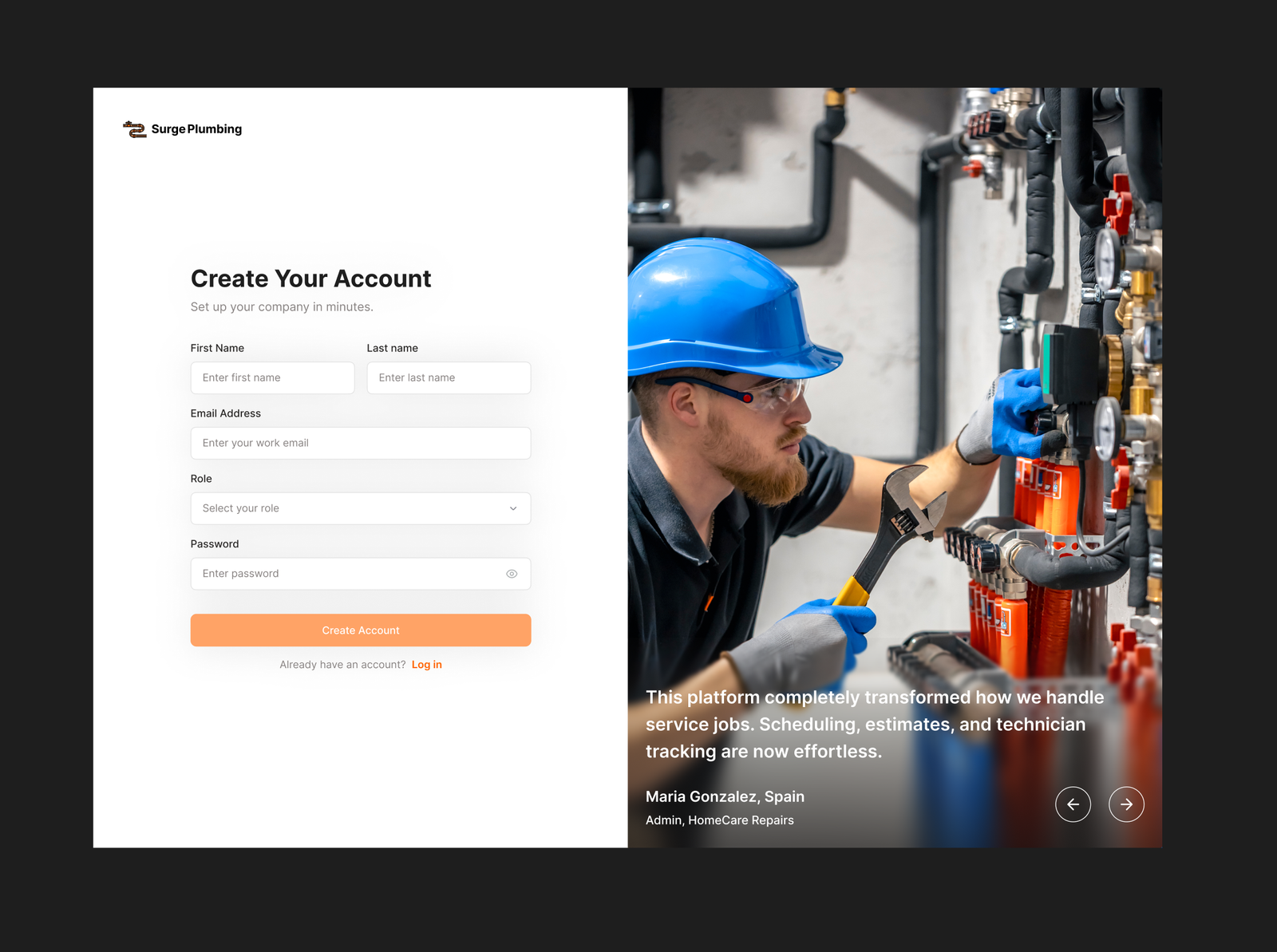
signup
The Signup flow in Surge Plumbing is designed to provide a fast, simple, and frictionless onboarding experience for plumbing businesses. It allows new users to create an account and access the platform with minimal setup while ensuring essential business information is captured.